
macOS menu-bar utility
One shortcut. One preset. One clean result.
Save provider, model, and instructions once. Run from a hotkey. Paste back. No chat, no account.
0.2 beta · macOS 15+ · signed and notarized · automatic updates
How it works
-
1
Press the shortcut
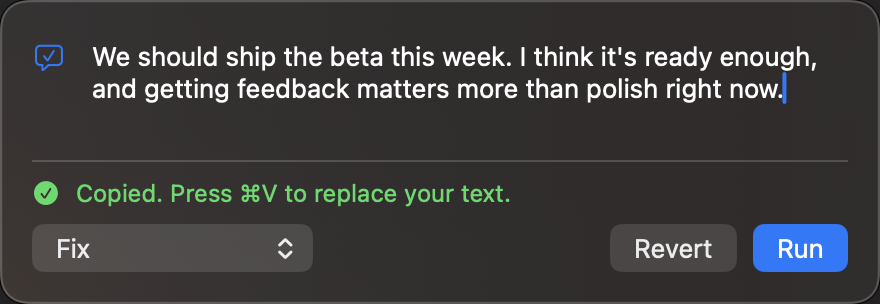
⌃⌥↩ opens the panel. Paste or type your text.
-
2
Run a preset
Pick one (⌘1–9). Return runs it.
-
3
Paste the result
If the text changed, it is copied. You paste it back.
What people use it for
- Prompt cleanup Rewrite a rough prompt or brain dump so it follows best practices for Claude or GPT, then paste it into wherever you use them.
- GitHub issues and PRs Format notes into a consistent issue body, PR description, or release notes.
- Everyday prose Fix typos, shorten email, shift tone. Use a fast host when you want it back immediately.
Bundled packs
File → Add from Pack…. Config only; no API keys. Claude and OpenAI packs follow public prompting docs (not affiliated).
- Claude packStructure, examples, and clarity for Claude prompts.
- OpenAI packInstructions first, sections, and explicit output for GPT.
- GitHubIssue bodies, PR descriptions, release notes.
- WritingTone, simplify, expand, soften.
- PromptsGeneric structure, constraints, output specs.
- TranslateOne-shot translation to common languages.
Speed when you need it. Depth when it matters.
Fast. Groq or Cerebras for near-instant everyday transforms.
Thorough. OpenAI, Anthropic, Google, xAI, or a local endpoint when the job needs more care. Optional On Device on supported Macs.
Privacy by behavior
No account. No Pressto server in the middle. Cloud presets go straight from your Mac to the provider you chose. Keys stay in Keychain. Panel text is not saved. Full privacy disclosure
Download the beta
Free during beta. Bring your own API key.
Download for macOSmacOS 15 or later · signed and notarized · automatic updates
Early beta. If something is wrong, write to [email protected].